圆周旅迹 v3.13 新功能完整介绍
Pi Travel v3.13 — Complete Feature Breakdown
酒店与交通卡片、图片识别航班火车票、全局出行偏好设置——三大新功能详解。
Hotel & transit cards, AI image recognition for tickets, global travel preferences — three major upgrades explained.

v3.13 更新了什么?
What's New in v3.13?
圆周旅迹 v3.13 于 2026 年 4 月 15 日正式上线,这是今年以来功能改动幅度最大的一次版本更新。核心围绕一个目标:让行程里的每一个信息都真正可用,而不只是看起来完整。
Pi Travel v3.13 launched on April 15, 2026 — the most significant feature update this year. It's built around one goal: making every piece of information in your itinerary actually useful, not just visually complete.
本次更新包含三个主要功能模块,我们逐一拆解。
Three major feature areas in this release. Let's break them down one by one.
新功能一:酒店与交通卡片
Feature 1: Hotel & Transit Cards
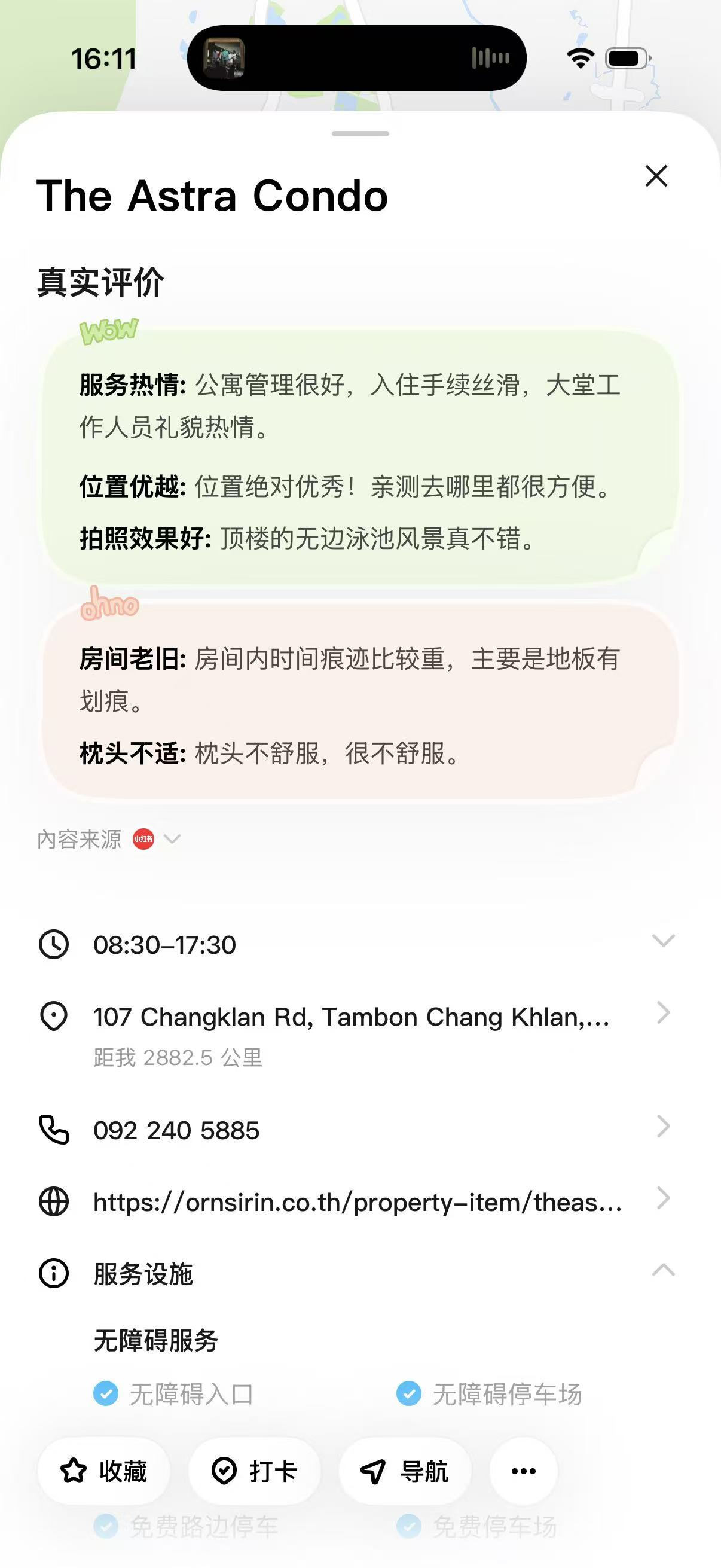
以前在圆周旅迹里添加酒店,只能作为一个普通的「地点」出现在行程里。v3.13 正式引入了专属酒店卡片和交通卡片,两类信息拥有独立的展示格式和交互逻辑。
Previously, adding a hotel to Pi Travel meant it would appear as a generic "location" in your itinerary. v3.13 introduces dedicated Hotel Cards and Transit Cards — each with its own display format and interaction logic.
酒店卡片包含:
Hotel cards include:
- 入住 / 退房日期与时间
- 房间类型与价格(支持手动填写或链接导入)
- 酒店地图位置(自动关联行程地图视图)
- 预订确认码 / 截图上传
- 备注字段(停车、早餐等信息)
- Check-in / check-out dates and times
- Room type and price (manual entry or link import)
- Map location (auto-linked to itinerary map view)
- Booking confirmation number / screenshot upload
- Notes field (parking, breakfast info, etc.)
交通卡片包含:
Transit cards include:
- 出发地 → 目的地(城市/车站级别)
- 出发 / 到达时间
- 交通方式(飞机、高铁、地铁、打车、自驾)
- 车次 / 航班号
- 价格与票务备注
- Origin → destination (city or station level)
- Departure / arrival times
- Transport type (flight, HSR, metro, taxi, self-drive)
- Train/flight number
- Price and ticketing notes
酒店和交通卡片会在行程的时间轴视图中独立展示,清楚地区分「在哪住」和「怎么过去」,不再和景点混在一起。
Hotel and transit cards appear separately in the itinerary timeline, clearly distinguishing "where you stay" from "how you get there" — no longer mixed in with attractions.
新功能二:图片识别航班 / 火车票
Feature 2: AI Image Recognition for Flight & Train Tickets
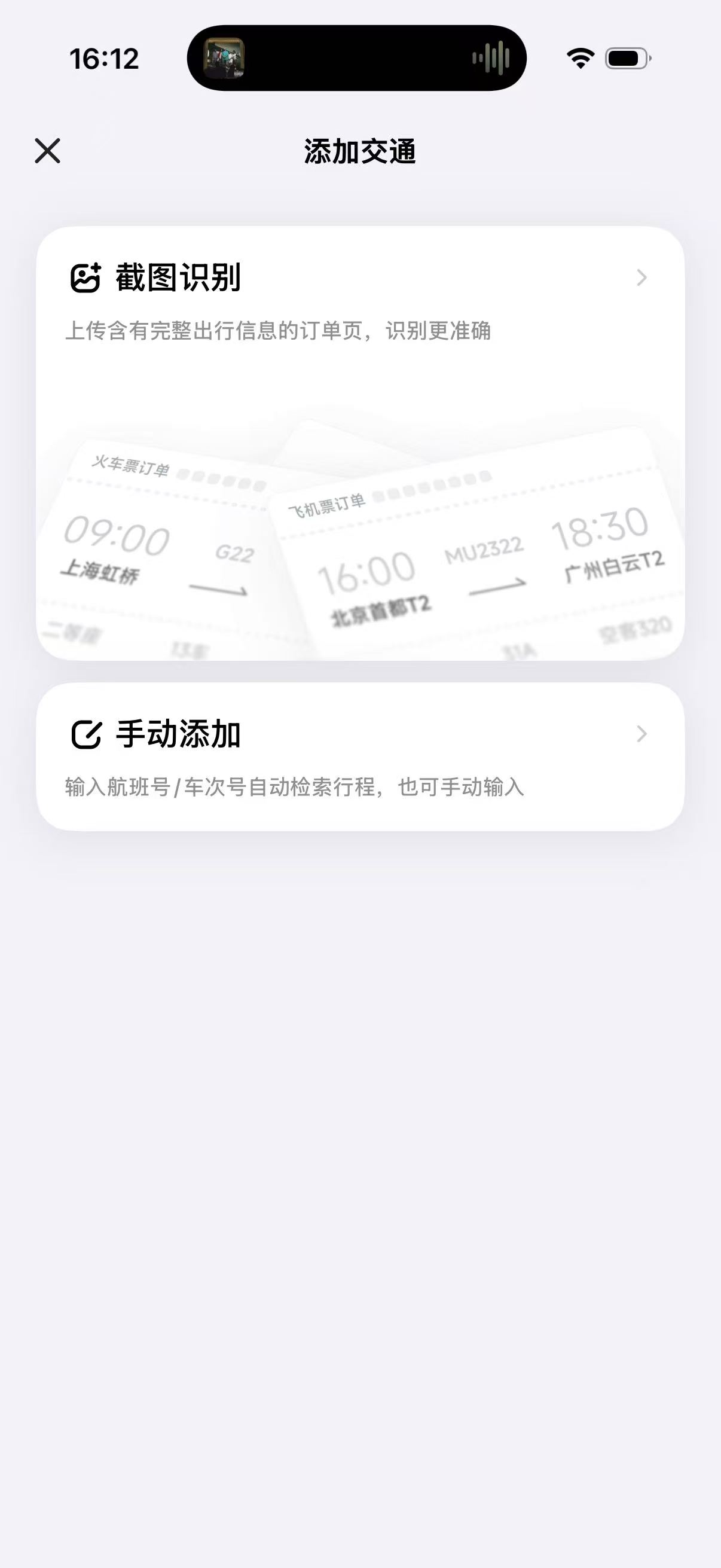
这是 v3.13 里我个人最喜欢的功能:上传机票或火车票截图,AI 自动识别所有关键信息,一键生成交通卡片。
This is my personal favorite in v3.13: upload a screenshot of your flight or train ticket, and the AI auto-extracts all key info and generates a transit card in one tap.
实测识别效果:
What it recognizes in practice:
- 高铁票:车次(G306)、出发/到达站、出发时间、座位类型、票价
- 机票:航班号(MU5168)、出发/到达机场(含航站楼)、起飞时间、舱位
- 支持格式:12306 截图、携程 / 飞猪订单截图、纸质票拍照、PDF 票据
- Train ticket: Train number (G306), departure/arrival stations, departure time, seat class, price
- Flight ticket: Flight number (MU5168), airports (with terminal), departure time, cabin class
- Supported formats: 12306 screenshots, Ctrip/Fliggy order screenshots, paper ticket photos, PDF tickets
识别完成后直接生成交通卡片并插入行程对应日期,不需要你手动填写任何一个字段。
After recognition, the transit card is automatically created and inserted into the correct day in your itinerary — no manual entry needed.
新功能三:全局出行偏好设置
Feature 3: Global Travel Preference Settings
以前每次新建行程,AI 都不知道你的习惯——你喜欢自驾还是公共交通?偏好商务酒店还是精品民宿?每次都要重新告诉 AI。
Before, every time you created a new trip, the AI had no memory of your habits — do you prefer driving or public transit? Business hotel or boutique guesthouse? You'd have to explain it every time.
v3.13 新增了全局出行偏好设置,保存一次,所有行程自动应用:
v3.13 adds global travel preferences — set once, applied to all future trips:
| 偏好维度 / Preference | 可选项 / Options |
|---|---|
| 旅行节奏 Travel pace | 紧凑 / 适中 / 放松 Packed / Balanced / Relaxed |
| 出行方式 Transit preference | 公共交通 / 自驾 / 混合 Public / Self-drive / Mixed |
| 住宿类型 Accommodation | 连锁酒店 / 精品民宿 / 青旅 Chain hotel / Boutique / Hostel |
| 人均预算 Budget per person | 经济 / 舒适 / 豪华 Budget / Comfort / Luxury |
| 饮食偏好 Dining preference | 本地小店 / 网红餐厅 / 米其林 Local spots / Popular / Fine dining |
设置完成后,AI 在生成行程、推荐地点、规划路线时,都会自动参考这些偏好,不需要每次单独说明。
Once set, the AI factors these preferences into every itinerary it generates, every spot it recommends, and every route it plans — no need to explain yourself every time.
如何升级到 v3.13?
How to Update to v3.13?
- 打开 App Store(iOS)或 应用宝 / 各大应用市场(Android)
- 搜索「圆周旅迹」,点击更新
- 更新完成后,在「我的」→「出行偏好」完成初始设置,享受新功能
- Open App Store (iOS) or your Android app market
- Search "Pi Travel" and tap Update
- After updating, go to "Me" → "Travel Preferences" to complete initial setup